Amazon rankings for several clients at a glance: how agencies work efficiently
Agi Paul 3 min read
Monday morning, three clients want to know how their products are doing. There is a separate spreadsheet for each, every keyword is searched by hand, and somewhere along the way a copy-and-paste error crept in. Every agency that looks after several Amazon sellers knows this.
With a few ground rules and the right tool, this turns into a routine that saves time and impresses clients.
Separate data per client
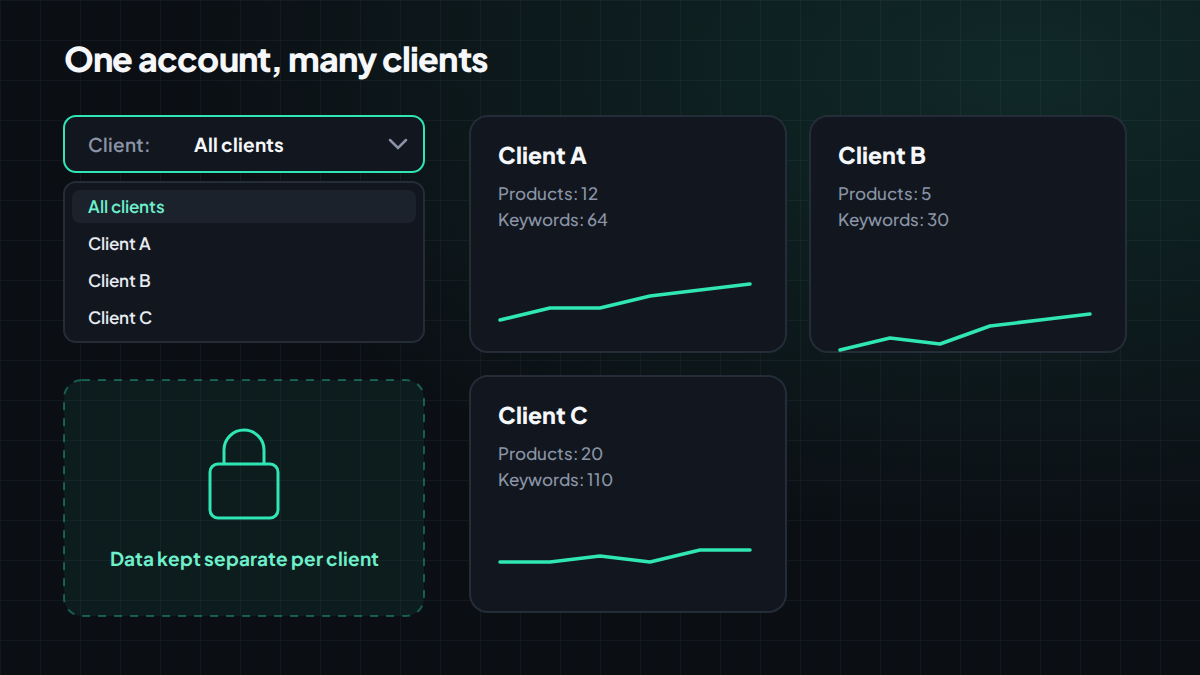
Most important is a clear separation. Products, keywords and analyses of one client should never mix with those of another. That way every report stays unambiguous, and you can report on one client without accidentally showing someone else’s data.
A fixed routine for every new client
New clients rarely arrive at a convenient time. A fixed routine makes sure nothing gets forgotten:
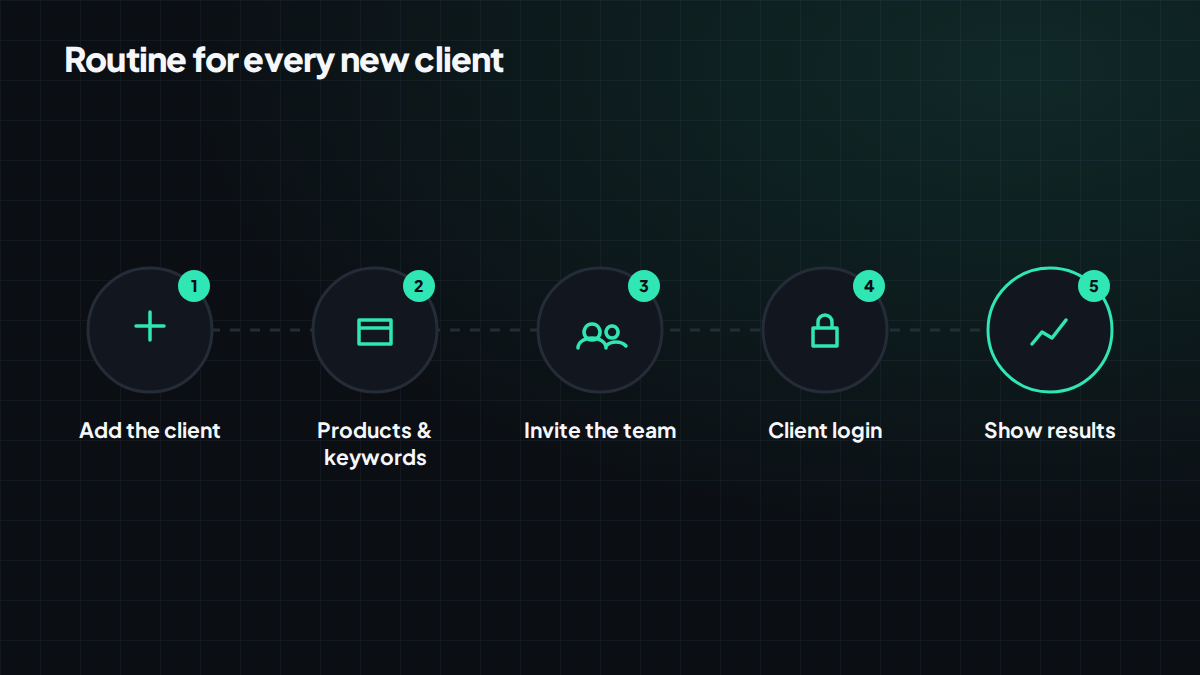
- Add the client and choose the right plan.
- Assign products and keywords, ideally with main terms, more specific searches and competitors’ terms right away.
- Invite the team: who looks after the client, who only presents?
- Offer a client login, so the client can check for themselves.
- Show results: go through trends and analyses together regularly.
Sharing the work in the team
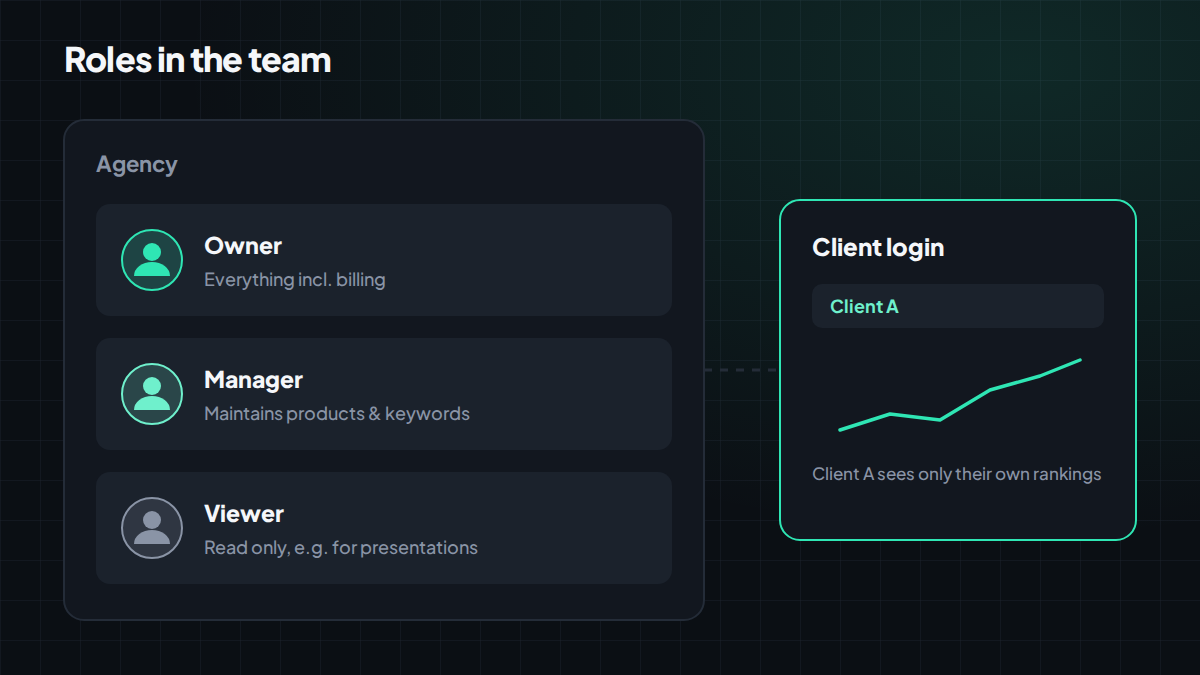
In agencies, several people usually work on one client. It helps when everyone sees the same data and the rights fit: who maintains products and keywords, who only watches, for example for the presentation at the client?
Making results visible
Clients want to know what the work achieves. Nothing convinces like a before and after: the ranking trend before and after a listing optimisation and the listing analysis of the same ASIN compared.
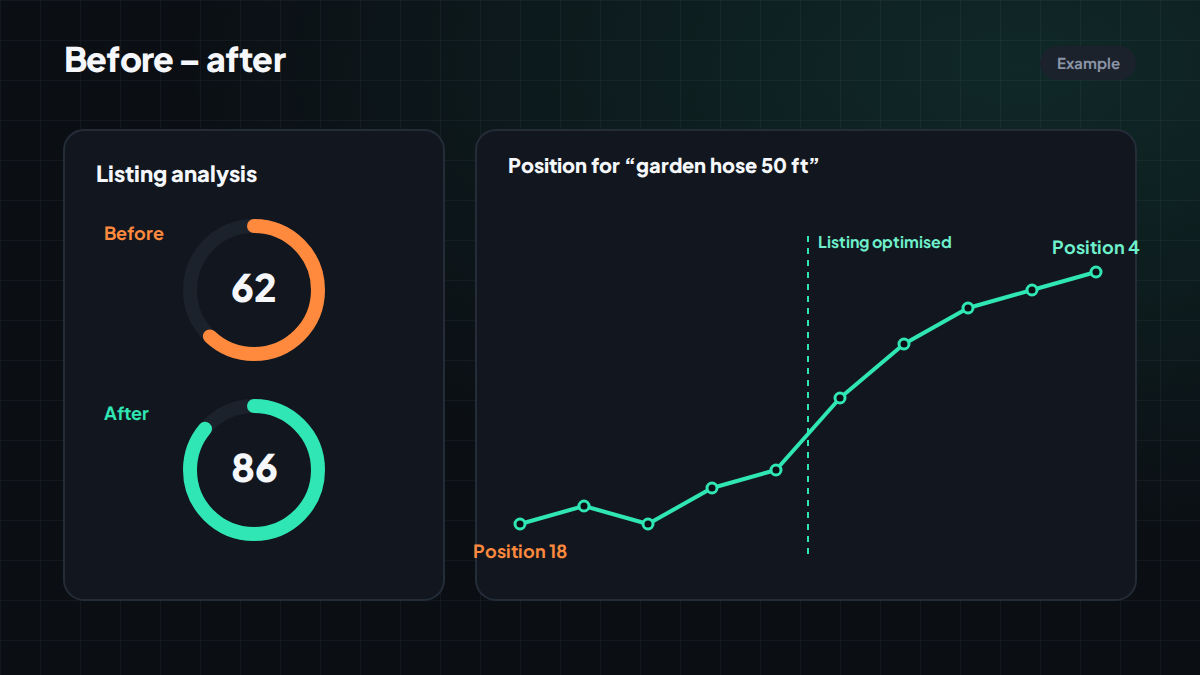
Tip: Before every bigger change, briefly note what the listing and the rankings look like. Then you have the comparison ready at the next meeting.
How Plaza Radar helps
With the agency access of Plaza Radar you add your clients and assign products and keywords to them. Every client gets its own plan, 20 % cheaper than the seller price; add-ons such as extra keyword slots are booked per client at the agency price too. The client switcher in the header lets you change between all clients and a single one.
You invite team members as managers or viewers. Every client can also get its own login and then sees only its own rankings. You export rankings as CSV and compare listing analyses of the same ASIN over time. What this costs your agency you can work out right away on the agency pricing page.