Optimising your Amazon listing: the key levers at a glance
Agi Paul 3 min read
Imagine your product on a shelf next to ten others. Only nobody can pick it up, turn it around or try it. All your customers have is your listing. That is why it decides two things at once: whether Amazon shows your product for a search at all, and whether someone who sees it actually buys.
The good news: there are only a handful of levers. Here they are, with the most common mistakes and tips you can put into practice today.
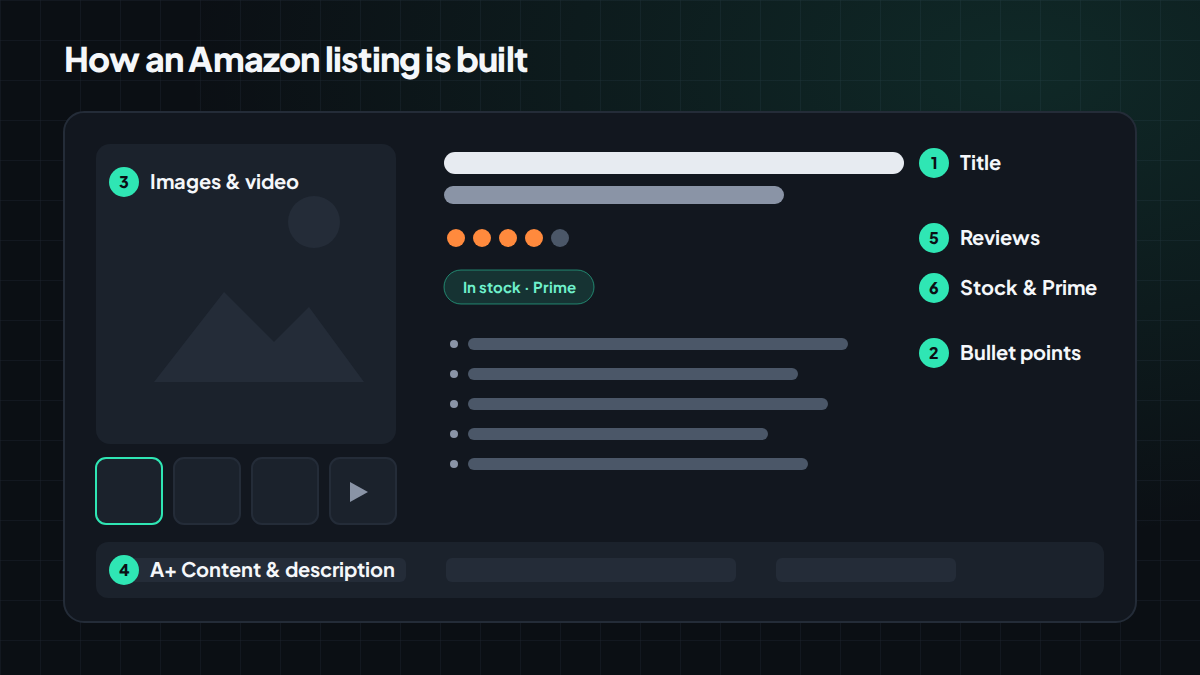
1. The title: what is it, and why this one?
The title is the first thing people notice in the search results, often on a phone and cut off. So the most important information goes first. A simple formula helps:
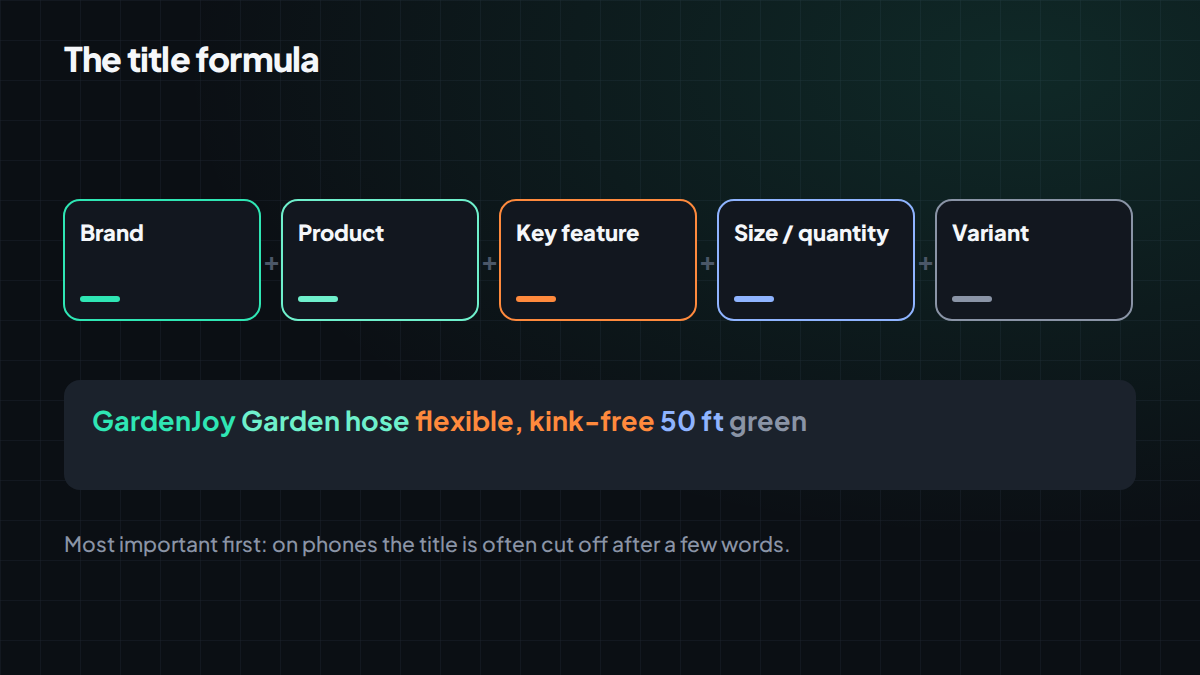
Tip: Read your title as if you only had the first few words. Is it clear what the product is? If not, reorder.
How long the title may be depends on the category. Check the current rules in Seller Central. Promotional phrases such as “bestseller”, “top deal” or “free shipping” do not belong in the title; they break Amazon’s guidelines.
2. Bullet points: benefits, not a data sheet
“Stainless steel, 20 cm, dishwasher safe” are features. What they mean is more interesting: “Won’t rust, even after years in the dishwasher.” Use every bullet point and answer the questions that would otherwise end up in customer questions:
- What is the product for, and who is it for?
- What sets it apart from the competition?
- What is in the box, and what is not?
- How is it used, assembled or cared for?
3. Images and video: your shop window
Images sell. Following Amazon’s rules, the main image shows the product on a white background. Behind it there is room for everything a look at the shelf would otherwise do:
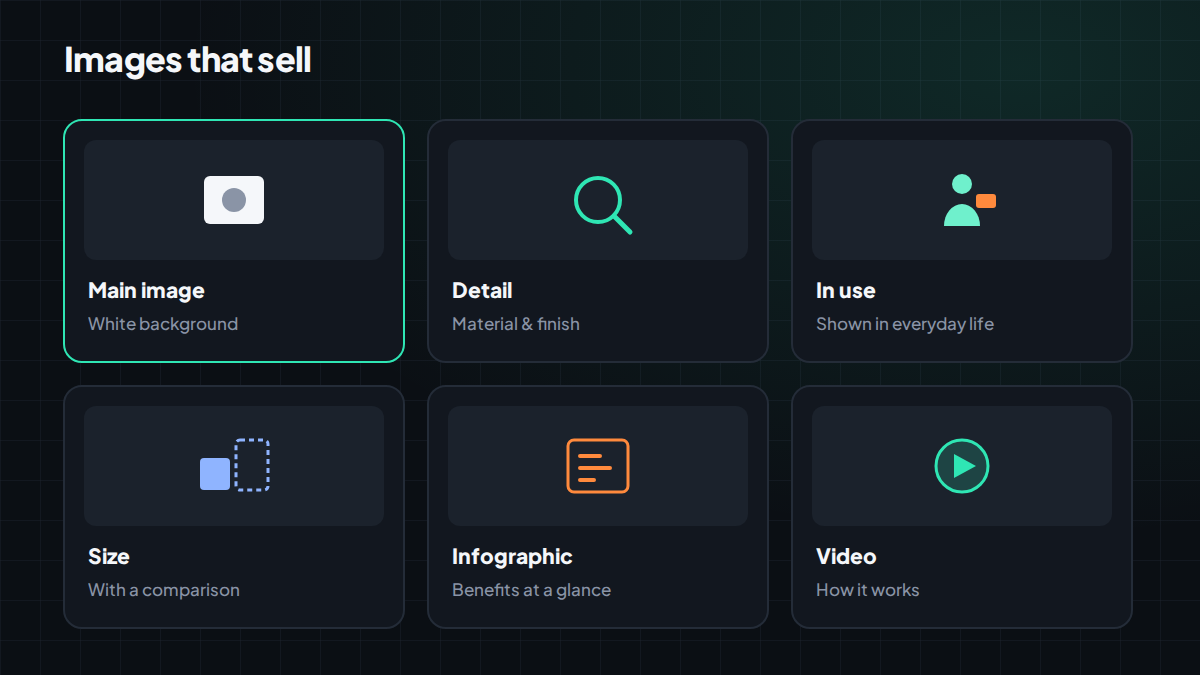
A short video shows in a few seconds what three paragraphs of text cannot: how the product performs in everyday life.
4. A+ Content and description
As a brand owner, A+ Content lets you design the description with images, comparison tables and your brand story. A comparison of your own variants is especially useful: it keeps shoppers within your range instead of sending them to the competition. Without A+ Content, a complete description answers what did not fit into the bullet points.
5. Reviews, stock and Prime
Trust comes from reviews. Reply to criticism calmly and treat recurring complaints as a hint at what is missing or unclear in the listing. And: the best listing sells nothing if the product is out of stock. Keep an eye on stock and shipping just as much as on the text.
How Plaza Radar helps
The listing analysis of Plaza Radar checks these building blocks for any ASIN, rates each one and sums them up in a score from 0 to 100. You see at a glance where your listing is weak and where work pays off most.
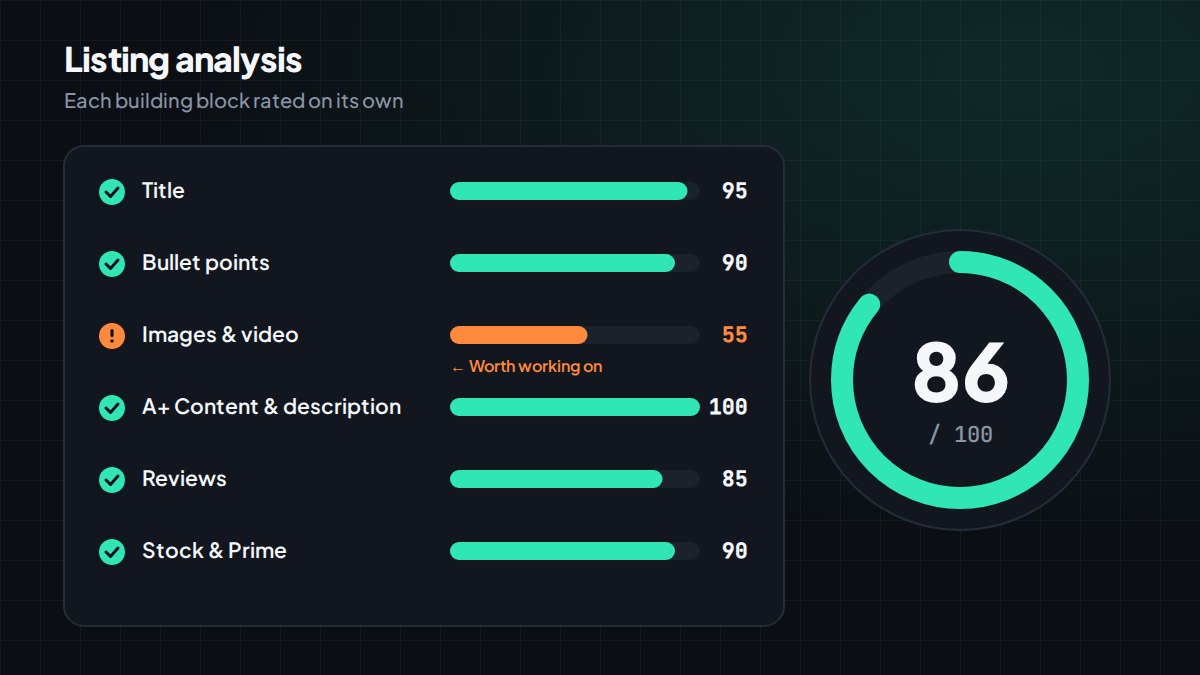
After a change you run the analysis again and compare it with the previous one. That way you see what your work has achieved.